


Our SaaS solutions help agencies struggling to maintain older systems and resource challenges by:
- Managing all the infrastructure, including hardware, software, security, and applications
- Ensuring you are always on the most current releases
- Saving time, money, and guaranteeing you are receiving all the benefits of technology advancement – without having to implement it all yourself
Benefits

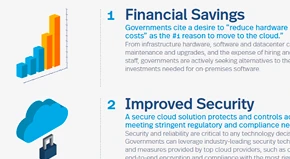
Rest assured with the leading cybersecurity protection
Safeguard your data and systems with the highest levels of security and compliance. Our cloud data centers are designed to meet a full set of regulations and guidelines for security.

All inclusive
Our SaaS Civic Applications include all needed functionality for your implementation at the same subscription price. This includes previously separate technologies, including GIS capabilities, mobile solutions, citizen-facing portals, API management, and more.

Predictable spend
SaaS subscriptions turn unpredictable and large capital expenditures for initial purchases, and regular updates and upgrades, into a predictable operating expense. With SaaS, all upgrades are automatically provided, and the subscription includes maintenance and support.

Grow your services without adding staff
One of the largest challenges facing agencies today is how to best recruit, manage, and retain IT staff in a competitive market. With Accela SaaS, agencies can better control staffing for legacy IT infrastructure, and focus resources on growing solutions and services to meet the needs of your citizens and employees without increasing staffing levels.
Interested in learning more?
Find out how Accela SaaS is helping government agencies move from outdated paper processes to accessing and administering secure services with the click of a button, from any location.

Details
Accela SaaS includes everything needed to deploy application services directly to your employees and residents:
- Scalable servers and storage devices
- All needed infrastructure software, including OS, database, load balancing, performance monitoring, app servers, and web servers
- Modern security and compliance software
- All aspects of our pre-built Civic Applications and Civic Platform technologies
- Technical support and implemented software/hardware upgrades
- Leading data security practices

Leading data security practices
Compliance with high standards
- Industry-leading cloud infrastructures that meet stringent data security standards, including NIST 800–53 and FISMA compliance, PCI-DSS, SOC 2, and SSAE 16 certifications
- Web and API traffic are protected by SSL sessions encrypted through TLS
Constant testing and evaluation
- Secure coding practices and enhanced monitoring tools to perform code analysis
- Ongoing vulnerability and penetration testing, resulting in high degrees of system and data security
A dedication to data integrity and recovery
- Data is stored securely via synchronized disaster recovery sites in multiple remote locations
- Provides protection in the event of natural disasters or sitewide outages

Performance
Dynamic infrastructure scaling
- Adjusts automatically to ensure the high levels of responsiveness and throughput your constituency expects, while allowing your service offerings to grow
- Never worry about having to add servers or storage to your own data center again
- The most current real-time performance monitoring technologies ensure we can provide consistently high performance for users
High availability
- Accela’s cloud solutions are designed to offer 99.9% uptime through built-in server redundancy and fail-over technologies within our datacenters


View our on-demand webinars featuring industry experts and Accela partners, products and customers.